A Simple Guide for Beginners
If you own a small business, having a website is a great first step toward growing your business online. But what if your website is not appearing on Google when potential customers search for your products or services?
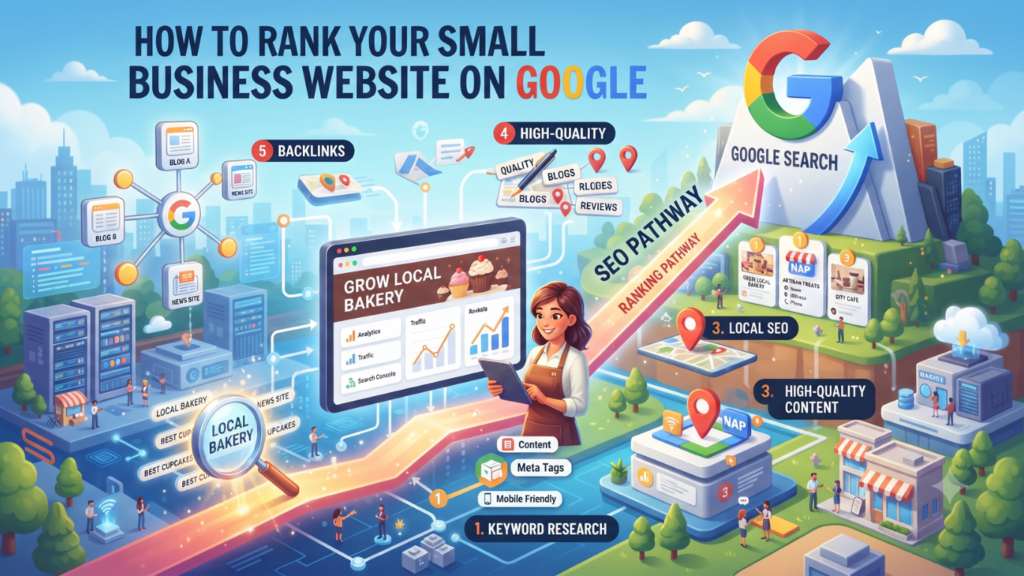
You may have a beautiful website, useful products, and good services, but if people cannot find you online, you could miss many opportunities.
The good news is that you do not need a huge budget to improve your website’s Google rankings. With the right SEO strategies, useful content, and regular effort, you can help more people discover your business online.
If you want to learn more about affordable online growth strategies, explore more helpful articles on Snowolive, where small business owners can learn about digital marketing, website design, and online business growth.
In this guide, we will explain how to rank your small business website on Google in simple language, even if you are a complete beginner.
1. Understand What SEO Means
SEO stands for Search Engine Optimization. It is the process of improving your website so that search engines like Google can understand your content and show your pages to people searching for relevant information.
For example, imagine you own a digital marketing agency in Delhi. Someone searches on Google for “digital marketing services for small businesses in Delhi.”
If your website provides relevant information and follows good SEO practices, it may have a chance to appear in the search results.
SEO does not guarantee the first position on Google. However, it can help you attract relevant visitors without paying for every click.
2. Find the Right Keywords for Your Business
Keywords are the words and phrases people type into Google when they are looking for something.
Choosing the right keywords is one of the first steps in SEO. Instead of guessing what your customers search for, try to understand their needs.
For example, if you run a clothing store, your keywords might include:
- Affordable kurtis for women
- Cotton kurtis online
- Latest kurti designs
- Women’s clothing store in Delhi
If you provide services, you could target keywords such as “website designing for small businesses” or “SEO services in Delhi.”
How to find keywords for free:
- Use Google autocomplete to see suggestions as you type.
- Check the “People also ask” section in Google search results.
- Explore Google Trends to understand search interest.
- Use Google Keyword Planner to discover keyword ideas.
Choose keywords that match your products or services and what your customers actually want to find. Do not select a keyword only because it looks popular.
3. Create Helpful and Original Content
Google wants to provide useful results to people. That means your website should answer visitors’ questions instead of simply repeating keywords.
Suppose you sell skincare products. Instead of publishing only product pages, you could write helpful articles such as:
- How to Choose Skincare Products for Your Skin Type
- Common Skincare Mistakes Beginners Should Avoid
- How to Build a Simple Skincare Routine
These articles can help potential customers discover your website while searching for answers.
When writing blog posts, explain the topic in simple language, use real examples, and share information that readers can apply. Avoid copying articles from other websites or publishing content just to increase the number of pages on your site.
Tip: Before writing a blog post, ask yourself, “What problem will this article solve for my reader?” If you can answer that question clearly, you have a good starting point.
4. Optimize Your Website Pages for SEO
On-page SEO means improving the content and important elements of your website pages so that visitors and search engines can understand them easily.
Here are some simple changes you can make.
Write a clear SEO title
Your SEO title tells people what your page is about. It may appear as the clickable headline in Google search results.
For example:
- Weak title: Home
- Better title: Affordable Website Design Services for Small Businesses
Try to make every important page title clear, relevant, and different from the titles of your other pages.
Add a useful meta description
A meta description is a short summary that may appear below your page title in search results. It helps people understand what they can expect from your page.
Example:
“Looking for affordable website design? Discover how a professional website can help your small business attract customers and grow online.”
Write a natural description that explains the page’s value. Google may choose different text from your page for the search snippet, so your description is not guaranteed to appear exactly as written.
Use headings properly
Headings divide your content into smaller, easy-to-read sections.
Use one clear main heading, followed by relevant subheadings. For example:
- H1: How to Rank Your Small Business Website on Google
- H2: Find the Right Keywords
- H2: Improve Website Speed
- H2: Build Local SEO
Include keywords naturally where they make sense. Repeating the same phrase in every heading can make your article difficult to read.
Create simple URLs
A short, descriptive URL helps visitors understand the topic of your page.
For example:
- Less helpful:
yourwebsite.com/page?id=123 - Better:
yourwebsite.com/small-business-seo
Keep URLs readable and avoid changing existing URLs unnecessarily, especially if those pages already receive traffic.
5. Make Your Website Mobile-Friendly
Many people search for products and services using their mobile phones. If your website is difficult to use on a small screen, visitors may leave without contacting you.
Check whether your website:
- Adjusts properly to different screen sizes.
- Uses readable text.
- Has buttons that are easy to tap.
- Displays images without cutting off important information.
- Has simple navigation and an easy-to-use contact form.
You can test your website on your own phone and use Google’s PageSpeed Insights to check loading performance and identify possible improvements.
Remember, a good mobile experience is about more than just fitting the page onto a smaller screen. Visitors should be able to find information and take action without difficulty.
6. Improve Your Website Loading Speed
Imagine a customer visits your website to check your services, but the page takes too long to load. They may leave and choose another business.
A slow website can create a poor user experience, so it is worth checking your website’s performance.
Here are a few ways to improve loading speed:
- Compress images: Large image files can slow down your website. Resize and compress them before uploading.
- Use lightweight designs: Avoid unnecessary animations, effects, and plugins.
- Choose reliable hosting: Your hosting service can affect website performance.
- Remove unused plugins: Too many unnecessary plugins can add complexity and slow down some websites.
- Check mobile performance: Test important pages on mobile devices as well as desktop computers.
If you use WordPress and Elementor, pay particular attention to image sizes, unnecessary widgets, and plugins you no longer need.
You do not need to make every performance score perfect. Focus on fixing the issues that most affect your visitors.
7. Set Up Google Search Console
Google Search Console is a free tool that helps website owners understand how their websites perform in Google Search.
It is especially useful if you are trying to improve SEO but do not know whether Google is finding your pages.
With Search Console, you can:
- See which search queries bring visitors to your website.
- Check how often your pages appear in Google results.
- Find out how many people click your search listings.
- Identify some indexing and technical problems.
- Submit your sitemap to help Google discover your pages.
To get started, visit Google Search Console and add your website.
You can also inspect an important page using the URL Inspection tool to check its indexing status and, where appropriate, request indexing.
Important: Requesting indexing does not guarantee that Google will index the page or improve its ranking. Google needs to discover, process, and evaluate your content.
8. Focus on Local SEO if You Serve a Specific Area
If your business serves customers in a particular city or neighbourhood, local SEO can help people discover your business when they search for nearby services.
For example, if you run a salon in Delhi, potential customers might search for “salon near me” or “best salon in Rohini.”
To improve your local online presence:

- Create a Google Business Profile: If your business is eligible, add accurate business information and complete the relevant sections.
- Keep contact details consistent: Use accurate business names, phone numbers, addresses, and opening hours wherever they are published.
- Ask genuine customers for reviews: Encourage honest feedback and respond professionally to reviews.
- Create relevant local pages: If you genuinely serve different areas, explain which services you provide in each area.
- Share useful local information: Publish content that answers questions your local customers commonly ask.
For example, a Delhi-based web design agency could publish an article about choosing a website designer for a small business in Delhi.
Avoid creating dozens of nearly identical pages for places where you do not actually operate. Focus on useful information and real customers instead.
9. Add Internal Links to Your Website
Internal links connect one page of your website to another page on the same website.
They help visitors discover related information and help search engines find and understand other pages on your site.
For example, imagine you publish a blog about digital marketing on a budget. Within that article, you could link to another relevant article about social media marketing for small businesses.
You can also link to your service pages when they genuinely help readers.
Use descriptive link text. Instead of writing “Click here,” you could write “learn more about SEO services.”
A useful internal linking strategy helps readers move naturally from learning about a problem to finding a solution.
10. Build Quality Backlinks Naturally
A backlink is a link from another website to your website.
Backlinks can help search engines discover your content and provide useful context about your business. Relevant links from trustworthy websites can also bring visitors who may be interested in your products or services.
Here are some practical ways to earn them:
- Write a helpful guest article for a relevant website.
- Collaborate with businesses that serve a similar audience.
- Publish original research, useful guides, or free tools that people may want to reference.
- Participate in relevant industry communities where sharing your website is appropriate.
- Make sure your business is listed accurately in legitimate industry directories.
For example, if you create a free marketing budget calculator, another business blog might link to it because its readers could find it useful.
Avoid buying large numbers of backlinks, using automated link-building schemes, or exchanging links only to manipulate rankings. Focus on earning links that make sense for your audience.
11. Optimize Images on Your Website
Images make your website more attractive, but they should also help visitors understand your content.
For example, if you publish an article about website design, use a relevant screenshot or an original image that explains the topic.
Follow these simple practices:
- Use clear, relevant images.
- Compress images to reduce file size.
- Give image files descriptive names, such as
small-business-website-design.webp. - Add meaningful alt text that describes the image for people using screen readers and helps search engines understand it.
- Place images near the content they explain.
Avoid adding keywords to every image’s alt text when they do not describe the image. Accessibility and accuracy should come first.
12. Keep Your Website Updated
Publishing your website once and never checking it again is not a good long-term strategy.
Your business, customer needs, products, and services may change over time. Your website should reflect those changes.
Here is what you can do regularly:
- Update outdated information and broken links.
- Check whether your service pages explain your current offerings.
- Refresh older articles when you have useful new information.
- Remove or improve content that no longer helps your readers.
- Check your contact forms and important website buttons.
You do not need to change every article every month. Update a page when you have something meaningful to improve.
13. Track Your SEO Progress
SEO takes time, so it is important to measure progress rather than making random changes.
Use Google Search Console to monitor your search performance. You can also use Google Analytics to understand how people interact with your website.
Focus on these four important measurements:
| Metric | What it tells you |
|---|---|
| Impressions | How often your pages appear in search results |
| Clicks | How many clicks your website receives from search |
| Click-through rate (CTR) | The percentage of impressions that result in clicks |
| Average position | Your average position in Google’s search results for the selected data |
Look for patterns over several weeks or months. For example, if an article receives many impressions but few clicks, consider whether its title and description clearly explain its value.
If a page receives visitors but few enquiries, review whether the content answers their questions and makes the next step clear.
Remember that SEO improvements can take weeks or months to show results, and not every change will improve rankings.

Google for Developers
+1
14. Avoid These Common SEO Mistakes
Sometimes, small businesses waste time and money on SEO practices that do not help their long-term growth.
Avoid these common mistakes:
- Keyword stuffing: Repeating the same keyword unnaturally throughout an article.
- Copying content: Publishing another website’s content instead of providing your own useful information.
- Buying spammy backlinks: Paying for artificial links in an attempt to manipulate rankings.
- Ignoring mobile users: Designing a website that works well only on computers.
- Publishing low-value blogs: Writing articles only to publish more content without helping readers.
- Expecting instant results: Assuming that a new website will rank on the first page within a few days.
- Ignoring technical problems: Forgetting to check whether Google can access and index important pages.
Google recommends creating useful, reliable, people-first content rather than content designed mainly to manipulate search rankings.
Google for Developers
+1
15. A Simple 30-Day SEO Plan for Small Businesses
If you are a beginner, you do not need to implement everything in one day. Follow this simple plan to start improving your website.
Week 1: Understand your website
Find relevant keywords, check whether Google has indexed your important pages, and set up Google Search Console.
Week 2: Improve your website pages
Write better page titles, descriptions, headings, and URLs. Check mobile usability and page speed.
Week 3: Publish helpful content
Write one or two useful articles based on your customers’ questions. Add relevant internal links and useful images.
Week 4: Review and improve
Check search impressions, clicks, technical issues, and local business information. Identify the next improvements to make.
This plan is a starting point, not a promise of first-page rankings within 30 days. Continue improving your website after the first month.
Conclusion: Start Small and Grow Your Google Rankings
Ranking your small business website on Google does not require you to do everything at once. Start by understanding your customers, choosing relevant keywords, creating useful content, improving your website experience, and tracking your results.
You can begin with free tools such as Google Search Console and PageSpeed Insights. As you learn more about your audience, you can improve your pages and create content that answers their needs.
The most important thing to remember is that SEO is not just about getting more website visitors. It is about helping the right people find useful information about your business.
Be patient, stay consistent, and focus on providing real value. Over time, these efforts can help build your website’s visibility and support your business growth.
If you want to learn more about affordable online growth strategies, explore more helpful articles on Snowolive, where small business owners can learn about digital marketing, website design, and online business growth.